
Visit us:
IndusInd General Insurance, 6th Floor, Commerz I, Oberoi Garden City, International Business Park, off Western Express Highway, Yashodham, Goregaon, Mumbai, Maharashtra 400063
Become an Agent
Wish to become an agent with IndusInd General Insurance
Grievance Resolution Process
We are dedicated to resolving your issues, but if they remain unresolved, please follow the steps mentioned below.
Click here for Guidance on timeframe followed as defined by IRDAI.

Step 1
Reach us at:
Paid Number: +91 22 4890 3009
Email: services@indusindinsurance.com
Grievance Officer:
Our Complaint Officer Mr. Swaroop P, Chief Manager - ERCG, will attend to your concerns promptly.
Contact our Branch:
With presence across numerous locations pan-India, we are never too far from you.
Branch Locator: Our Branches
Write to Us (Correspondence Only):
IndusInd General Insurance, Correspondence Unit, 2nd & 3rd Floor, Winway Building, 11/12, Block No-4, Old No-67, South Tukoganj, Near Madhumilan Square, Indore, Madhya Pradesh, India – 452001.
Step 2
If you are not satisfied with the response received in Step 1, please email: Nodal Officer, Mr. Vikash A., AVP - ERCG at grievances@indusindinsurance.com.
Step 3
If the issue remains unresolved after Step 2, please escalate to: Head Grievances at headgrievances@indusindinsurance.com.
Step 4
If your concern remains unresolved after completing Steps 1, 2, and 3, you may approach the Insurance Ombudsman for further redressal. Click here to get details on Insurance Ombudsman Offices.
Insurance on the go!
Personalise it with an app on your phone
Experience insurance on the go with IndusInd General Insurance App
Speed and simplify your insurance claims and policy renewal process


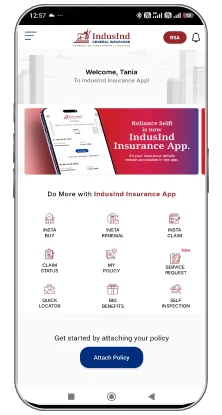
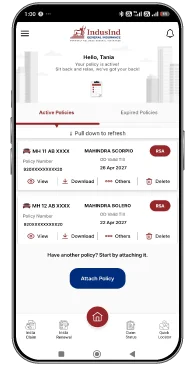



Download our IndusInd General Insurance App now!